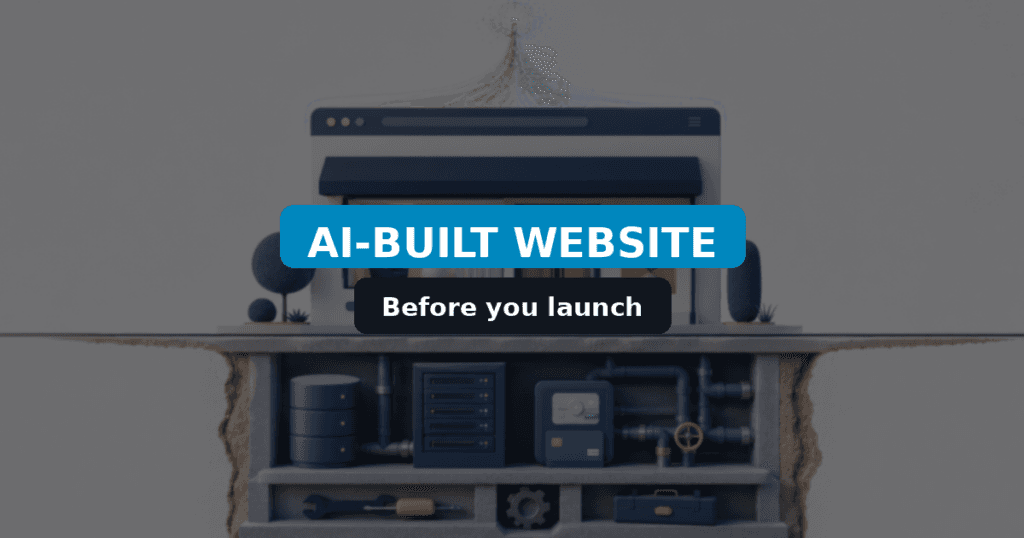
AI-built websites – from idea to a first draft
AI is excellent at accelerating the start of a project: structure, draft copy, images, and an early version of the code – but that does not automatically mean a site ready to serve real customers.
Not long ago, even a simple prototype meant designing screens, writing code, and hand-tuning layouts for phones. Today you describe the business, pick a style, and within minutes you have something clickable. For a basic landing page, portfolio, or event site, that output may be enough to publish.
AI is also landing inside established CMS platforms. WordPress 7.0 introduced the WP AI Client and Connectors API. Artificial intelligence does not have to replace a CMS – it can support content, code, and features inside a mature stack. For release context, see WordPress 7.0 – what’s new.
This guide is for you if:
- you are considering an AI website builder instead of a classic build,
- you already have a first AI draft and need to know what to verify before launch,
- you are deciding when a simple generator is enough – and when WordPress or a custom app is the better foundation.
Key Takeaways
- A first draft shows the idea; a production site handles data, errors, security, and ongoing maintenance.
- AI generators fit simple, short-lived projects with low business risk.
- WordPress (and WooCommerce) is a solid foundation when you need content editing, roles, commerce, and integrations.
- AI speeds up code and prototypes – it does not replace business analysis, testing, or ownership of maintenance.

Important: A polished homepage is not the same as a site ready to run a business. Check the back office before you launch.
Verified: July 2026 – WordPress 7.0.2: Core is on the 7.0.x line with security fixes in 7.0.2 (17 July 2026). An AI-generated site still needs security hardening, integration tests, working forms, accessibility checks, and restore-tested backups before you call it production-ready. WordPress version alone does not replace that review.
What can an AI website builder do?
An AI builder can cover a large share of the work for a simple site – especially when the project follows a familiar pattern.
| Area | What AI usually delivers | What AI does not know on its own |
|---|---|---|
| Layout | Header, offer sections, form, footer, navigation | Content hierarchy for SEO and accessibility |
| Mobile | Basic phone and tablet adaptation | Tests on weaker devices and slow networks |
| Copy | Headlines, service blurbs, CTAs, SEO drafts | Company facts, pricing rules, legal limits |
| Images | Illustrations and decorative assets | Rights to product photos and brand assets |
| Code | UI components, styles, a basic form | Sales workflows, CRM behavior, third-party outages |
Study result: In a controlled experiment with 95 professional developers, people using GitHub Copilot completed a simple coding task about 55% faster on average.
| Group | Average task time |
|---|---|
| With AI (GitHub Copilot) | 1 hour 11 minutes |
| Without AI | 2 hours 41 minutes |
The study covered a single, well-scoped task – not building and maintaining a full system. Source: GitHub Copilot productivity research.
That is enough to validate an idea and share it with a client or team. The builder still does not know who should receive a lead, how payment is settled, which data is sensitive, or what should happen when an external system fails.
Treat the AI output as a starting point. The more the site matters for sales and customer support, the more careful the review after generation should be.
Prototype vs a site ready for work
A prototype shows how the project could look. A production site also has to handle data, failures, updates, and day-to-day use.
| First AI draft | Production-ready site |
|---|---|
| Displays prepared content | Has a clear content model and a practical way to edit it |
| Covers the happy path | Handles errors, edge cases, and silent third-party failures |
| Works in a demo | Is monitored, hardened, and restorable from backup |
| Includes a contact form | Delivers messages, blocks spam, and stores submissions |
| Looks good on one screen | Is tested across devices and interaction styles |
| Matches today’s scope | Can be updated, extended, and handed to another specialist |
| Ships without an owner map | Has named owners for code, hosting, analytics, and integrations |
| Skips WCAG / CWV checks | Meets agreed accessibility and Core Web Vitals targets |
| Leaves error logs unread | Error logging is on, private, and reviewed before launch |
Acceptance criteria before you pay the final invoice
Use this as a short gate between prototype and production.
- Forms deliver to the right inbox (or CRM) and fail visibly when SMTP is down.
- Error logs are enabled, not public, and free of launch-blocking fatals.
- Analytics / Search Console property is in the client account.
- Off-site backup exists and a restore was tested at least once.
- Update policy is written (who, where staging is, what gets auto-updated).
- WCAG basics checked (keyboard, contrast, labels, focus).
- Core Web Vitals measured on key templates – not only the homepage Lighthouse demo.
- Code/repo ownership and license ownership are documented.
The gap is rarely obvious on the homepage. It shows up when someone edits content, sends a real form, processes an order, or plugs in the next integration.
Data, forms, and integrations – what to plan
After the layout is generated, check where the site reads data, where it stores it, and what happens when one step in the process stops working.
Content management
Hard-coded copy is fine for a tiny one-off page. A larger site needs a place where services, products, images, and languages can be edited safely.
Before you choose a stack, decide:
- who will update the site,
- which content types you will add,
- which fields are required,
- what permissions each role should have,
- whether content is shared across language versions.
Without that structure, even a small offer change can turn into a code edit.
Forms and message delivery
A form UI is only one piece. The form should validate input, reduce spam, show clear errors, and confirm a successful send. You also need outbound mail and domain authentication configured correctly.
If the form carries sales leads, store submissions in the admin or a CRM as well. That way a mail outage does not erase the contact. Practical reading: securing your WordPress contact forms.
Payments and external systems
CRM, accounting, inventory, shipping, email marketing, and payment gateways each have their own limits, auth model, and error messages.
| Control point | Checklist question |
|---|---|
| Data leaving the site | What information leaves the site, and where is it stored? |
| Error handling | What does the user see when an external service does not respond? |
| Safe retries | Can you resend without creating duplicates? |
| Alerts | Who gets notified about a failed payment or sync error? |
| Logs | Where can you inspect the run and find the root cause? |
Example: If money was charged but the store never received confirmation, the system must not charge again automatically. You need a way to check transaction status and resume the process safely.
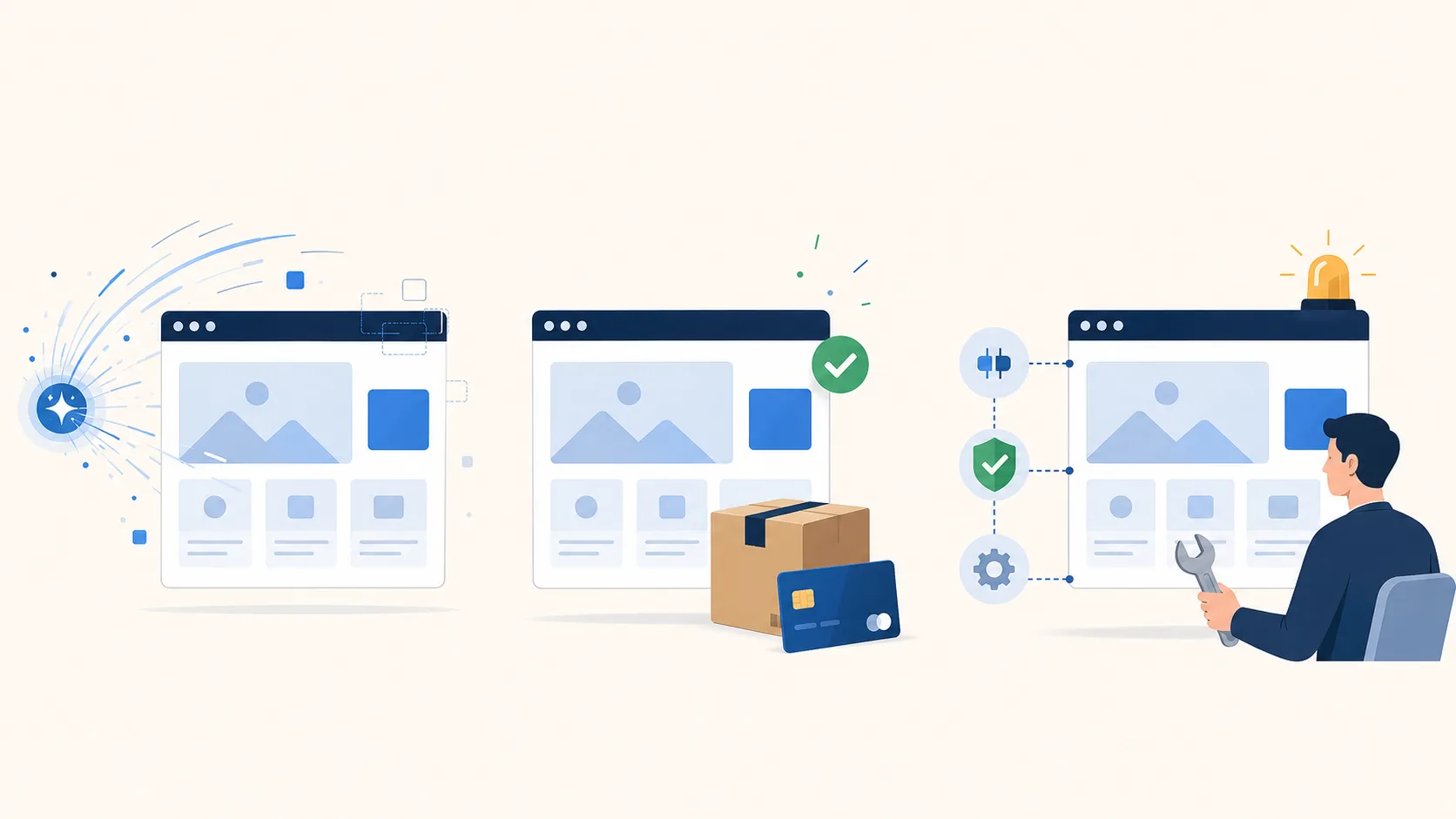
How do you capture unusual business rules?
The hardest work is often not the default features – it is the exceptions that mirror how a specific company operates.
A standard store has products, cart, payment, and order. Real scope is frequently wider:
- separate price lists for B2B and retail,
- selected products sold only as bundles,
- weight or volume limits per shipment,
- staff approval before payment,
- pushing data to several systems at once,
- different rules per location or warehouse,
- shared vs language-specific fields in multilingual setups.
AI can write code that checks an order limit. First you still need to define what the limit applies to: the whole cart, one package, a product category, or a specific recipient. You also need the customer-facing message and what happens to orders started before the rule changed.
Scenario template (better than a vague prompt):
- Condition: when the rule should fire.
- Action: what the system should do.
- Message: what the customer or staff member should see.
- Fallback: what happens if the operation cannot finish.
Tip: Paste those four points into a brief for your developer – or into an AI prompt – instead of “add order handling.”
Examples from WordPress and WooCommerce projects
Real scope is easier to judge from concrete projects – similar front-end looks can hide very different technical requirements.
| Project | What you see on the front | Where the real work lived |
|---|---|---|
| Store with ~900 products | Product cards, filters, checkout | B2B/B2C selling, scheduled imports, consistent data across sources |
| Unusual shipping rules | WooCommerce cart and orders | Weight/volume limits, location rules, PDF document generation |
| Multilingual site | Language switcher | Deciding what is shared vs edited separately per language |
In each case AI could speed up coding. It could not invent the rules, ownership, or the right data model on its own.
AI website checklist before you launch
Before go-live, review more than visuals: performance, SEO, accessibility, security, and whether you can restore the project.
If you need a structured review, book a technical website audit. Unusual business logic often needs custom WordPress tools; external systems belong under integrations and automation.
1. Performance and mobile
- test on phone, tablet, and desktop,
- check image sizes and the number of loaded scripts,
- verify menus, forms, and buttons on touch screens,
- run a pass on a slower connection and a weaker device.
Deeper reading: optimizing WordPress for page speed.
| Threshold / group | Mobile pages meeting Core Web Vitals |
|---|---|
| All sites studied | 48% |
| WordPress | ~45% |
| Homepages under 1 MB | 57% |
| Homepages at least 5 MB | 30% |
HTTP Archive 2025 data is why a generated layout still needs a check of images, JavaScript, fonts, and third-party scripts. See also the HTTP Archive page-weight analysis.
2. SEO and content quality
- set one correct H1 and a logical H2/H3 hierarchy,
- fill SEO titles, meta descriptions, and image alt text,
- check indexing, the XML sitemap, and internal links,
- remove placeholder copy and unverified claims generated by AI.
Google’s guidance for AI-assisted search still stresses original, useful content written for people. Mass-generating similar pages is not a substitute for expertise, examples, and company-specific knowledge. If you structure posts for AI citations, see also WordPress GEO for AI search.
3. Accessibility
- make every critical action usable with a keyboard,
- add labels to form fields,
- check text contrast and focus visibility,
- keep a sane heading order,
- make sure error messages are clear and usable with assistive tech.
Scale of the problem: In the WebAIM Million 2026 report, automated tests found WCAG failures on 95.9% of one million studied homepages. The average was 56.1 errors per page. The most common issues were contrast, missing alternative text, and form labels. An automated pass does not catch every barrier, so a green tool score should start accessibility review – not end it.
Depending on your market and product, you may also need to align with WCAG, local accessibility laws, or customer procurement rules. For e-commerce and public-facing services, treat this as a launch requirement – not a later polish pass.
4. Security and backups
- update the CMS, theme, plugins, and other libraries,
- remove unused components and leftover admin accounts,
- enforce strong passwords and two-factor authentication,
- limit access to data and API keys,
- configure automated backups off the same server,
- run a restore test before launch.
Study result: In a 2026 preprint, researchers reviewed 200 publicly deployed apps sampled from a corpus of 10,517 vibe-coded projects.
| Metric | Result |
|---|---|
| Apps with at least one vulnerability | 90% |
| High or critical findings | 76.7% of detected issues |
This is early research and does not cover every builder, but it shows why a prompt-generated app should not go live without an audit. Source: Understanding the (In)Security of Vibe-Coded Applications.
The State of WordPress Security in 2026 report logged 11,334 new vulnerabilities in the WordPress ecosystem in 2025 – 42% more than the year before. 91% were in plugins, while core had only 6 low-priority issues. At the same time, 46% of vulnerabilities had no fix at public disclosure. That is not an argument against WordPress. It is an argument for fewer extensions, actively maintained plugins, and continuous monitoring.
Guide: backing up and restoring your WordPress site.
Important: A backup only helps if you can restore it. A “backup completed” message is not a restore test.
The role of AI and the human builder
AI speeds analysis, prototyping, and coding – but decisions, testing, and maintenance still belong to people.
AI works well on tasks you can describe clearly and verify. It can draft a component, spot a likely bug, suggest tests, or compare implementation options.
Developer data shows that review is not optional theory. In the Stack Overflow Developer Survey 2025, 66% of respondents flagged “almost right” AI solutions as a problem, and 45.2% said debugging AI-generated code takes more time. The DORA 2025 report, based on nearly 5,000 professionals, also saw productivity gains alongside a negative relationship between AI use and software delivery stability. AI can shorten the build stage while raising the bar for tests, code review, and monitoring.
A human builder still needs to check:
- whether the solution fits the existing system,
- whether it exposes data or API keys,
- whether it handles errors and messy input,
- whether it can be updated safely,
- whether the code is understandable and documented,
- whether the feature solves the actual business problem.
The shape of the work changes, but technical judgment does not disappear. Writing the first version of the code may take less time; planning the process, testing, and quality control often take more.

Who will maintain the site after launch?
Before go-live, decide who owns updates, monitoring, backups, fixes, and future development.
A site can work on launch day and still cause pain months later. Libraries change, payment APIs change, browsers change, and so do the people editing content.
| Maintenance area | Agree this before launch |
|---|---|
| Updates | Who runs them, and where they are tested first |
| Monitoring | Who gets alerts for outages or integration failures |
| Backups | How often they run and how long they are kept |
| Documentation | Where config, integrations, and custom features are described |
| Access | Who holds admin accounts, hosting credentials, and API keys |
| Roadmap | How new changes are requested and released |
A popular CMS or a well-documented framework makes it easier to hand the project to someone else. A custom system generated without documentation can lock the company to one person or one tool.
Tip: When you compare cost, include hosting, updates, monitoring, and development over the next few years – not only the price of the first draft.
Costs, dependencies, and integration responsibility
Maintenance is not only “click update”. Budget time and money for change.
- Change cost: small copy edits are cheap; payment, CRM, or membership logic changes need analysis and regression tests.
- Dependency updates: CMS, theme, plugins, Node packages (if headless), and PHP version – each can break checkout or forms.
- Integration ownership: decide who is on the hook when Stripe, SMTP, ERP, or a marketing pixel fails after a vendor API change.
- Retainer vs ad hoc: ad hoc is fine for brochure sites; stores and integration-heavy sites need a named owner and response window.
When is an AI website builder a good fit?
An AI builder works best for a simple project with a short lifespan, little data, and low business risk.
- temporary landing page,
- single-event site,
- simple portfolio,
- prototype of a new offer,
- internal concept demo,
- site without payments, logins, or critical integrations.
It is especially practical when content changes rarely, the project does not store sensitive data, and downtime would not stop sales or operations.
When should you choose WordPress or a custom app?
A CMS or custom system is needed when the site manages more content, runs a business process, or will grow for several years.
| Aspect | AI builder | WordPress / WooCommerce | Custom application |
|---|---|---|---|
| Goal | Fast prototype, short lifecycle | Content, store, catalog, user roles | Unusual product / real-time process |
| Content editing | Often in code or the builder UI | Admin, roles, content types | Custom admin or API |
| Integrations | Simple, limited | Plugins plus custom work | Full control, higher cost |
| Maintenance | Tied to the tool | Large market of specialists | Needs docs and a team |
| Business risk | Low / medium | Medium / high (especially for stores) | High when it is the product core |
When is WordPress a good foundation?
WordPress fits company sites, stores, catalogs, and content hubs. You get an admin, users, roles, APIs, and a large ecosystem of integrations.
The ecosystem is still large at scale. According to W3Techs, WordPress powers 41.2% of all surveyed sites and 59.1% of sites with a known CMS. More than 875 people contributed to WordPress 7.0, which shipped with more than 420 fixes and enhancements, including an AI Client in core. Those numbers do not guarantee quality for any one site – they show WordPress remains an actively developed foundation, not abandoned tech.
- staff can edit content without a developer for every change,
- blog, knowledge base, catalog, or multiple content types,
- store built on WooCommerce,
- different roles and permissions,
- ready connections for payments, marketing, or analytics,
- easier handoff of maintenance to another contractor.
WordPress does not have to render the whole front end. It can work as a headless CMS – content back office – while the front end runs in React, Vue, or another stack. See: WordPress headless guide.
When is a custom application better?
A separate application makes sense when the product itself is a custom tool, a real-time interface, or a process that does not fit a CMS without painful workarounds.
That does not mean every unusual requirement needs a greenfield build. The best outcome is often a proven foundation plus targeted custom features.
Important: AI and WordPress are not opposites. AI can speed up building, testing, and operating a WordPress-based site.

How do you choose the right approach?
Start with the site’s job, data, and risk. Pick the technology only after you can describe the process it must support.
- Define the goal: inform, collect leads, sell, or run a larger workflow?
- List content types: services, products, languages, documents, editors.
- List integrations: payments, CRM, inventory, accounting, email.
- Describe exceptions: special pricing, limits, approval steps.
- Assess data: what will be stored, and who should access it?
- Assess downtime impact: does an outage stop sales or support?
- Plan maintenance: updates, backups, monitoring, roadmap.
If the project is small, short-lived, and light on sensitive data, an AI builder may be enough. If the site will manage content, sales, and integrations for years, choose a CMS or custom system with a clear maintenance plan.
More on scoping and working with a contractor: Creating a website with a freelancer: 8 stages and tips.
Summary
AI can draft a website in an hour – launching it for a real business still needs analysis and testing.
- AI builder: strong for prototypes, landing pages, and low-risk simple sites.
- Production site: must handle errors, data, integrations, security, and backups.
- WordPress: practical foundation for company sites, stores, catalogs, and content hubs.
- Custom app: makes sense for unusual processes that do not fit a CMS cleanly.
- AI in a builder’s workflow: speeds coding and tests – it does not replace business analysis or ownership.
- Maintenance: plan updates, monitoring, and documentation before launch.
The best stack is not always the newest one. It should match the site’s goal, how the company works, and how long the project needs to live.
Frequently asked questions
Use these answers to decide quickly whether an AI-generated site is enough for your project.
Can AI build a website on its own?
Yes. AI can generate layout, copy, images, and code for a simple site. For a landing page or prototype, that is often enough. Anything involving payments, customer data, or integrations still needs analysis and testing.
Is an AI-generated site good enough for a business?
Yes – if the scope is simple and you reviewed it before launch. The more the site drives sales and support, the more important security, performance, forms, and backups become.
Will AI replace WordPress developers?
AI takes over part of the coding and first-draft work. You still need someone to design the architecture, review security, handle unusual requirements, and own maintenance.
Should I choose WordPress or an AI builder?
An AI builder fits simple or short-lived projects. WordPress fits better when you need content management, a store, multiple users, integrations, and long-term growth. You can also combine both.
Is an AI-generated site cheaper?
The first version can be much cheaper. Add hosting, updates, monitoring, fixes, and later development to the total. Compare cost of ownership – not only the launch price.
Need help choosing the stack?
Mapping goals, data, and integrations helps you pick a solution without building unnecessary complexity.
We can review your project scope and advise whether an AI builder is enough – or whether WordPress, WooCommerce, or a custom application is the better fit.